Looking for a fun Puzzle game? Dreams is a good one to try. You play it right in your browser, so there is nothing to download and nothing to install. It loads fast and works on your phone, tablet, and computer. The controls are simple, each round is short, and you can stop and come back at any time.
📖 Dreams Games Overview
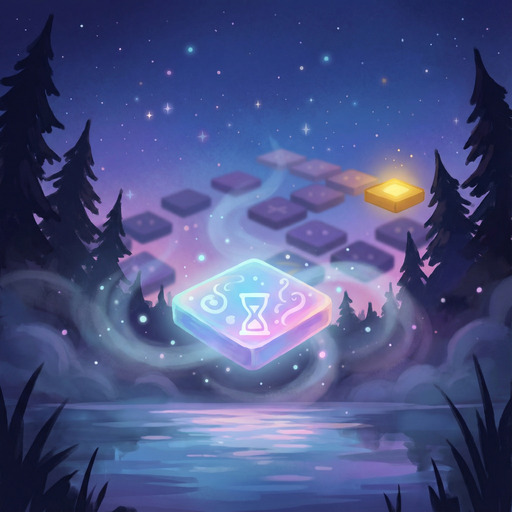
In the realm of slumber, dreams manifest as delicate tiles, each holding a fragment of imagination, memory, or longing. As a Dream Collector, your mission is to weave these ephemeral pieces together, creating a tapestry of wonder. Only by assembling the perfect dream can you unlock hidden secrets and awaken the Dream Oracle.
The rules are easy to learn, but getting a top score takes practice. The game runs in your browser, so a new round starts in seconds on almost any device.
Short on time? Dreams loads instantly in your browser. Here is how it plays, what the controls are, and how to improve fast.
Dreams is presented in a portrait (vertical) layout, which is made for phone screens first – it plays naturally one-handed with touch controls, and still works fine on a desktop browser.
Dreams is organised into levels that introduce their challenges gradually – early stages teach the idea, and later ones combine everything you have learned. If a stage feels hard, the key is usually a mechanic from an earlier level.
📸 Dreams Games Screenshots


👥 Who Will Enjoy Dreams Games?
Players who enjoy short, thoughtful sessions – solving a little, thinking a little – tend to stay with this kind of game longest.
🎮 Dreams Games Controls & How to Play
Rules:
You can jump to an adjacent tile if it’s within range.
Walls block your path—no jumping over them!
Simple tiles beckon from two tiles away.
Sticky tiles demand proximity—just one tile.
Canon tiles spin with each leap, challenging your strategy.
Win Condition:
Collect all dreams by stepping on the dream-containing tiles.
Reach the special “End Tile” (distinguished by a different color) to complete the level.
🚀 How to Play Dreams Games – Step by Step
- Rules: You can jump to an adjacent tile if it’s within range.
- Walls block your path—no jumping over them!
- Simple tiles beckon from two tiles away.
- Sticky tiles demand proximity—just one tile.
- Canon tiles spin with each leap, challenging your strategy.
- Desktop PC: Use keyboard inputs (WASD / Arrows / Spacebar) to command the in-game action.
- Mobile & Tablet: Touch-friendly on-screen virtual buttons configured for immediate response.
From the game’s own instructions, Dreams is played using tapping.
Dreams Games in Detail
When you play Dreams, you enter a quiet realm of slumber. Delicate tiles hold fragments of memory and imagination. Your main goal as a Dream Collector is to weave these pieces together. You tap the screen to move from tile to tile.
Each move takes some thought because different tiles act in special ways. Simple tiles wait two steps away, but sticky tiles need you right next to them. Canon tiles spin around every time you jump. Walls block your path, so you cannot jump over them. You must collect all the dreams on the board. Then, you step on the special end tile to finish the level and awaken the Dream Oracle.
✨ Dreams Games Key Features
- 100% Free & Unblocked: Jump straight into the game without restrictions.
- Universal Compatibility: Runs smoothly across Android, iPhone, iPad, and desktop.
- High-Performance Graphics: Enjoy HD visuals with zero lag on standard internet connections.
- One-Click Fullscreen: Click the fullscreen toggle below the screen for an immersive arcade experience.
⚙️ Dreams Games Specifications
| Game Title | Dreams |
|---|---|
| Genre / Category | Puzzle |
| Platform Support | Desktop (Windows/Mac), Mobile (iOS & Android) |
| Technology | HTML5 / WebGL Canvas |
| Controls | Keyboard, Mouse & Touchscreen |
💡 Dreams Games Tips & Strategy Guide
Tips chosen for this kind of Puzzle game:
- Save combos and boosters: Special pieces are most valuable when the board is crowded. Use them to break a deadlock, not on the opening move.
- Watch the move counter: When moves are limited in Dreams, every swap should either score, set up a combo, or move you closer to the level goal.
- Clear from the bottom: Matches low on the board trigger falling pieces and free cascades, which often do more work than the match itself.
Tips to Play Dreams Games Better
To win in Dreams, you need to watch every tile before you tap. Remember that walls block your path, so plan your jumps early. Simple tiles let you reach far, but sticky tiles need you to step close. Canon tiles spin with each leap, so they change the board every time you move. Keep an eye on these spinning tiles because they test your strategy. Pick your steps carefully to reach the end tile and unlock hidden secrets.
If you enjoy Dreams, you may also like Fruit Block Tetra Puzzle | Free Online Game and Fruit Block Tetra Puzzle | Free Online Game – both free to play right in your browser.
Why Players Enjoy Dreams Games
Many puzzle games fans love playing Dreams because it is free to play right in your web browser with no download needed. You get to build a wonderful tapestry by collecting delicate tiles of memory and imagination. It feels great to solve each level and wake up the Dream Oracle.
❓ Frequently Asked Questions about Dreams Games
Q: Is Dreams good to play on a phone?
A: Yes – Dreams uses a portrait (vertical) layout, which fits phone screens naturally and works well with touch controls, with no download needed.
Q: What are the controls for Dreams?
A: Dreams is played using tapping, based on the game’s own instructions shown on this page.
Q: Do I need to create an account to save progress?
A: No registration or sign-up is required. You can start playing immediately as a guest with 100% free access.
Q: How do I play Dreams online for free?
A: You can play Dreams directly on blgbd by clicking the play frame above. It runs instantly in any modern web browser with no download or setup.
About This Game’s Source
This game is embedded from a third-party HTML5 game provider feed and runs in your browser with no download or installation. If it does not load, or anything about it seems inappropriate, please use the Report button above so the blgbd team can review it and remove it if needed.
🎯 More Games Like Dreams
Enjoying this game? Play more Puzzle games free online. Or try the best Puzzle games online - the most played ones on this site.

admin is part of the blgbd team. Every game on this page was checked to load before it was published. More about us


